

Wood-fired pizza, on your doorstep

48-hour sourdough, fired in 90 seconds. Delivery in under 30 minutes.

Special offers

One way to save.

10% OFF ALL ORDERS!
10% OFF

10% OFF ALL ORDERS!

Enjoy 10% off every delivery and collection order!

Collection & Delivery only

No code neededOrder online

Visit & order

Hours & where to find us.

When the kitchen’s on, and when we’ll come to you.

Add to Home Screen

Keep us one tap away.

Three taps, and our menu sits with your apps. No app store, nothing to sign in to.

  1. Tap Share in Safari
  2. Choose Add to Home Screen
  3. Tap Add, top right
  4. Done. It opens straight on our menu.
Open our menu to add itIt takes about ten seconds.
Istanbulchargrill
1Tap the Share button in Safari’s toolbar.
IstanbulchargrillAdd BookmarkFind on PageAdd to Home ScreenMarkup
2Scroll the share sheet to Add to Home Screen.
CancelAdd to Home ScreenAddIstanbulchargrillistanbulchargrill.foodengine.uk
3Tap Add. The name is already filled in.
MessagesPhotosMapsWalletIstanbulchargrillNotesMusicWeather
4The icon is on the Home Screen and opens full screen.
istanbulchargrill.foodengine.ukInstall appistanbulchargrill.foodengine.ukInstall
1Chrome offers it at the bottom of the page.
istanbulchargrill.foodengine.ukIstanbulchargrillistanbulchargrill.foodengine.ukCancelInstall
2Confirm once in Chrome’s own dialog.
PhotosMapsPlayClockIstanbulchargrillGmailDriveKeep
3The icon lands on the Home screen, no store involved.
istanbulchargrill.foodengine.ukNew tabHistoryAdd to Home screenSettings
4If the banner has gone, the same thing is in the ⋮ menu.
No steps, because this browser has none. Nothing is animated here and nothing redirects.

Open in Safari to add it

You are browsing inside this app, which cannot add pages to a Home Screen. Tap ··· in the corner, choose Open in Safari, then add it from there. We will not move you automatically, so your basket stays where it is.

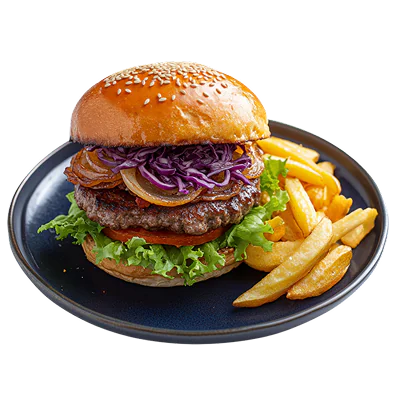
Hungry? We’re already cooking.

Order online now
Istanbulchargrill · Order Online